Technology Insights
Admin Back-Office System Development: Modules, Permissions, Costs and Acceptance
An admin back office is the system staff use to manage data, run approvals and read reports; whatever your website, app or stores collect ends up there. What goes wrong most often is not the screens but permissions and audit trails. This article covers the common modules of an admin back office, how to design role permissions, cost ranges by scale (small back offices from NT$150,000), and the checklist to accept before launch, with back-office projects JoinX has built.
Key takeaways
- The core of an admin back office is data management, permissions, approval workflows, reports and audit trails; the screens are only the outer layer.
- Design permissions by role, add data scope (such as only your own branch), and check them on the server, not just by hiding buttons.
- Based on JoinX's custom project pricing in Taiwan, a small single-purpose back office starts at NT$150,000, a single-process one costs about NT$500,000 to 1 million, a multi-department mid-sized one about NT$1 million to 2.5 million, and integrated platforms with several subsystems are quoted by scope.
- Acceptance means logging in as each role to test permissions, reconciling report figures, and checking audit trails and exports, not just clicking through every page.
- Back offices usually grow with the front end: 欣晨快遞's logistics back office has reached version five, and 驊曖體育's multi-branch back office version nine.
Contents
An admin back office is the system staff use to manage data, run approvals and view reports; whatever your website, app or stores collect is ultimately processed here. It rarely has flashy screens, but it determines daily efficiency and data security. Below we cover common back-office modules, permission design, cost ranges and the acceptance checklist, with back-office projects JoinX has built.
What modules does an admin back office usually include?
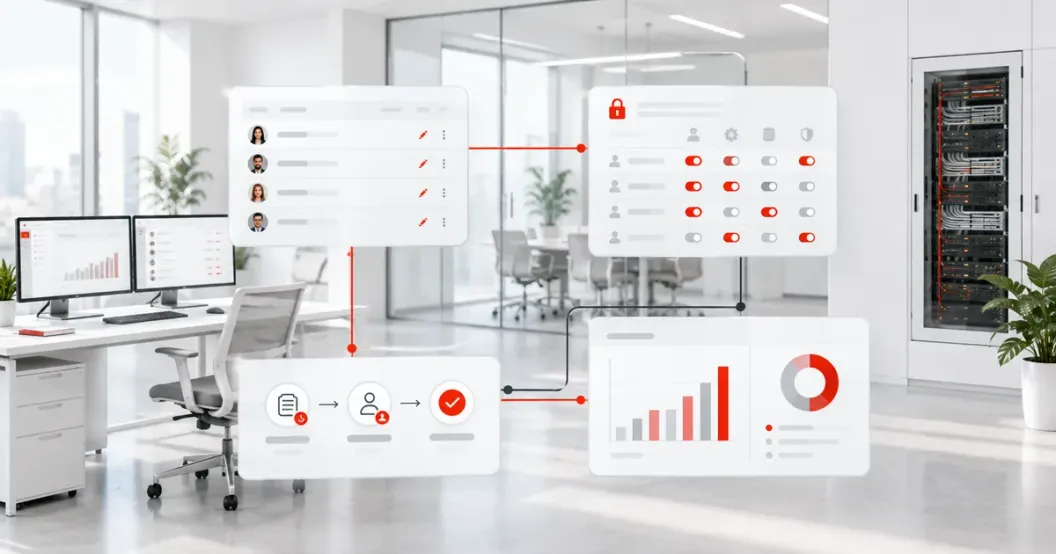
Most back offices have eight modules: accounts and permissions, data management, approval workflows, reports and dashboards, import and export, notifications, audit trails, and system settings. The first four decide usability; the last four decide whether you can trace and change things when problems occur.
| Module | What it does | Decide up front |
|---|---|---|
| Accounts and permissions | Create accounts, assign roles, disable departing staff | How many roles, who can create accounts, whether to use existing company accounts |
| Data management | Create, search, edit and delete orders, members, products and more | Which fields are required; whether deletion is permanent or archived |
| Approval workflows | Route approvals by amount, department or type | Number of steps, delegates, what happens after rejection |
| Reports and dashboards | Statistics by date, branch or salesperson | Calculation rules must match what finance and managers use |
| Import and export | Batch Excel import, report export | How import errors are shown; whether export is permission-restricted |
| Notifications | Email, SMS or app push reminders | Who receives them, when, and how failures are resent |
| Audit trails | Record who changed what and when | How long to keep them and who can view them |
| System settings | Parameters such as prices, categories and copy | Which settings business teams can change themselves |
If the back office is mainly for internal teams, such as approvals, work orders or HR, see our approach to internal business system development; if it must be planned together with a website and app, see our system development services.
How should back-office role permissions be designed?
Define roles by job first, then give each role two layers, what actions it can take and what data it can see, and finally check both on the server on every request. Hiding buttons on screen is not a permission; anyone who knows the URL can still get in.
Role permissions come from RBAC (role-based access control), proposed by NIST and later standardized as ANSI INCITS 359: permissions are tied to roles, so when staff change jobs you switch their role instead of adjusting items one by one. In practice we recommend this breakdown:
- List roles. For example system administrator, manager, operator, read-only viewer and external partner.
- Define action permissions. For each module, which of search, create, edit, delete, export and approve each role can do.
- Define data scope. The same role may only see data for its own branch, department or assigned customers.
- Handle sensitive fields. Mask ID numbers, phone numbers and bank accounts by default, show full values only to roles that need them, and log every view.
- Strengthen sign-in. Turn on multi-factor authentication for admin accounts; NIST SP 800-63B is a useful reference for password and failed-login rules.
- Check on the server. Verify role and data scope on every API call, and test against the access control items in OWASP ASVS.
Back offices concentrate personal data. Under Taiwan's Personal Data Protection Act, collection, use and retention need a defined scope and period; permissions and audit trails are the evidence that only the right people saw the data.
How much does admin back-office development cost?
Based on JoinX's custom project pricing in Taiwan, a small single-purpose back office starts at NT$150,000, a single-process back office costs about NT$500,000 to 1 million, a multi-department, multi-role mid-sized one about NT$1 million to 2.5 million, and platforms integrating several subsystems are quoted by scope.
| Scale | Estimated cost | Typical scope | Typical timeline |
|---|---|---|---|
| Requirements mapping | NT$100,000–300,000 | Interview workflows and produce a module list and role permission table | 2–4 weeks |
| Small back office | From NT$150,000 | Single-purpose data management with simple reports, such as list or booking management | Depends on scope |
| Integrating one system | NT$50,000–200,000 per integration point | Data sync with one of ERP, payments, logistics or account systems | Depends on the other side's API |
| Single-process back office | NT$500,000–1 million | One complete process with approval steps, notifications and reports | 3–5 months |
| Mid-sized back office | NT$1 million–2.5 million | Multiple departments and roles, data-scope permissions and several integrations | 5–8 months |
| Integrated platform | Quoted by scope | Several subsystems under one entry point, with data migration and phased launch | 8–18 months |
The biggest cost driver is usually not the number of pages but the combination of roles and data scopes, exceptions in approval rules, and the systems to integrate. These figures are a starting point for budgeting, not a fixed quote; pricing depends on your requirements, and third-party services such as cloud hosting, SMS and e-signatures are extra. For more on what drives a quote, see custom system development costs explained.
What admin back offices has JoinX built?
A back office rarely stands alone; it is usually the system behind a website, app or field operation. The three cases below cover logistics, fitness studios and education. What they share is many roles, rules that change, and continued expansion after launch.
| Case | Front end / field | What the back office handles | Period and scale |
|---|---|---|---|
| 欣晨快遞 | Driver app | Logistics management: dispatch, driver work and operating data | Since 2025, extended to version five |
| 驊曖體育 | Website and iOS/Android apps | Multi-branch back office: class booking, check-in, discount codes | Since 2020, up to version nine |
| Taipei City Government Department of Education | Taipei CooC-Cloud | Permissions and management for 9 subsystems under one entry point | Five roles: bureau, schools, teachers, students, parents |
欣晨快遞: logistics management back office
We built a logistics management back office around 欣晨快遞's operations, paired with a driver app, connecting back-office management with field work. After version one it was extended in phases as the business required; development began in 2025 and it has reached version five. See the 欣晨快遞 case study for the full story.
驊曖體育: multi-branch back office
The yoga studio management system includes a back office, a website and iOS and Android apps, handling class booking and check-in with every branch on the same data; version seven added discount codes. We have worked together since 2020, with releases up to version nine, and JoinX also handles maintenance after launch. See the 驊曖體育 case study for the full story.
Taipei City Government Department of Education: multi-role permissions on Taipei CooC-Cloud
The Taipei CooC-Cloud and Parent-Teacher-Student Integration Platform brings 9 subsystems under one entry point, with different permissions for the bureau, schools, teachers, students and parents, and vulnerability scans and access control to the bureau's ISMS standard. See the Taipei CooC-Cloud case study for the full story.
What should you check before accepting an admin back office?
Log in as every role and walk through daily work, then reconcile report figures, audit trails and exports. Only checking that each page opens will miss permission and number problems.
- Test each role. For every role, confirm it can do what it should and cannot do what it shouldn't, including by typing URLs directly or changing parameters.
- Run full workflows. Create, submit, reject, approve and close, covering both normal and exception cases.
- Reconcile reports. Take raw data for the same period and check totals, amounts and groupings against the reports line by line.
- Confirm audit trails. Edits, deletions, exports and views of sensitive fields must all show who did what and when.
- Test import and export. Use files with bad data to test import errors, and confirm exports match permissions.
- Confirm security scans. Before handover, JoinX runs its own source code scans and vulnerability scans; when black-box penetration testing is needed, a third party performs it, JoinX can help arrange it, and we fix the findings before delivery.
- Hand over documents and accounts. Source code, the role permission table, deployment notes, admin accounts and backup and restore procedures should all be handed over clearly.
Frequently Asked Questions
Can an admin back office use ready-made templates or libraries?
Yes. Generic screens such as data tables and forms can be built much faster with mature frameworks and components. What really needs customizing is permission rules, approval workflows and report definitions, which are tied to how your company works and which templates cannot provide.
How long does admin back-office development take?
A single-process back office takes about 3–5 months, a multi-department, multi-role mid-sized one about 5–8 months, and an integrated platform with several subsystems about 8–18 months. We recommend launching the most-used modules first and adding the rest based on feedback.
We already have an old back office. Can you just add features?
Yes, but first review the source code, database and hosting environment to confirm a complete handover, then decide whether to add features, refurbish or rewrite in phases. Old back offices often enforce permissions only on screen, so check that before adding features.
Does a back office really need audit trails?
We recommend it. Back offices hold orders, members and personal data; when data is changed by mistake or leaks, audit trails are the only way to trace it, and under Taiwan's Personal Data Protection Act companies need to show that access stayed within what was necessary.
Can the back office connect to an existing ERP or account system?
Yes. Most systems offer an API, database views or file import and export, depending on version and license. Accounts can use your existing single sign-on, so departing staff are disabled in one place. Each integration point costs about NT$50,000–200,000.
Sources
- ANSI INCITS 359-2004 Role Based Access ControlANSI / NIST
- OWASP Application Security Verification Standard (ASVS)OWASP Foundation
- NIST SP 800-63B Digital Identity Guidelines: Authentication and Lifecycle ManagementNIST
- Personal Data Protection Act (Taiwan)Ministry of Justice, Taiwan
These are the regulations and sources cited at the time of writing. Rules may be revised; always check the latest official announcement.
About the author
Jack Lee
Founder & CEO, JoinX
Jack founded JoinX in 2016 and leads a team of 80+ people across Taiwan and Japan. JoinX has delivered 520+ projects for 220+ clients, including 56 mid-to-large systems.
More about JackRelated articles
 How to Choose a Developer for Outsourced Financial Systems: IT Outsourcing Rules and Vendor Checks for Banks and Investment Trusts
 Custom System Development: Who It Suits, Common Types, Costs and Taiwan Case Studies
 Education and Retail System Development Cases: CooC-Cloud, ITRI's Live Course Platform and 比漾百貨's Online Store