Technology Insights
How to Choose a POS System: Packaged, Cloud and Custom POS Compared, with Hardware, Integration and Cost (2026)
A POS system handles in-store checkout, invoices, stock deductions and loyalty points. For a single store with common workflows, a packaged or cloud POS is the easiest choice; custom POS is worth it when several stores must share one set of data with the website, membership and ERP, or when checkout works in an unusual way. Before choosing, confirm six things: e-invoicing, offline checkout, hardware and peripherals, loyalty points, multi-store stock and integration with existing systems. This article compares the three types of POS, explains how to pick hardware and integrate, and shows how custom POS cost is estimated.
Key takeaways
- A POS system manages in-store checkout, invoices, stock deductions and loyalty points, and whether month-end reconciliation and multi-channel stock match depends on its data.
- For a single store with common workflows, packaged or cloud POS is easiest; custom POS pays off when several stores share data with the website, membership and ERP, or checkout is unusual.
- Before choosing, confirm six things: e-invoicing, offline checkout, hardware and peripherals, loyalty points, multi-store stock and how it connects to existing systems.
- Offline checkout must be designed in from the start: transactions are stored on the device, uploaded in order once the connection returns, and each carries a unique ID so nothing is booked twice.
- Based on JoinX's published 2026 rates, requirements analysis costs about NT$100,000 to 300,000, each external integration about NT$50,000 to 200,000, and custom POS is quoted by features, store count and integrations.
Contents
Before replacing a POS, be clear about which data it has to hold together. Many stores replace their POS because the terminals are old or checkout is slow, only to find afterwards that the real problem is month-end reconciliation: the store, the website and the marketplaces each have their own report, and neither stock nor loyalty points match. Below we explain what a POS manages, compare packaged, cloud and custom POS, and then cover hardware, integration and cost.
What is a POS system and what does it manage?
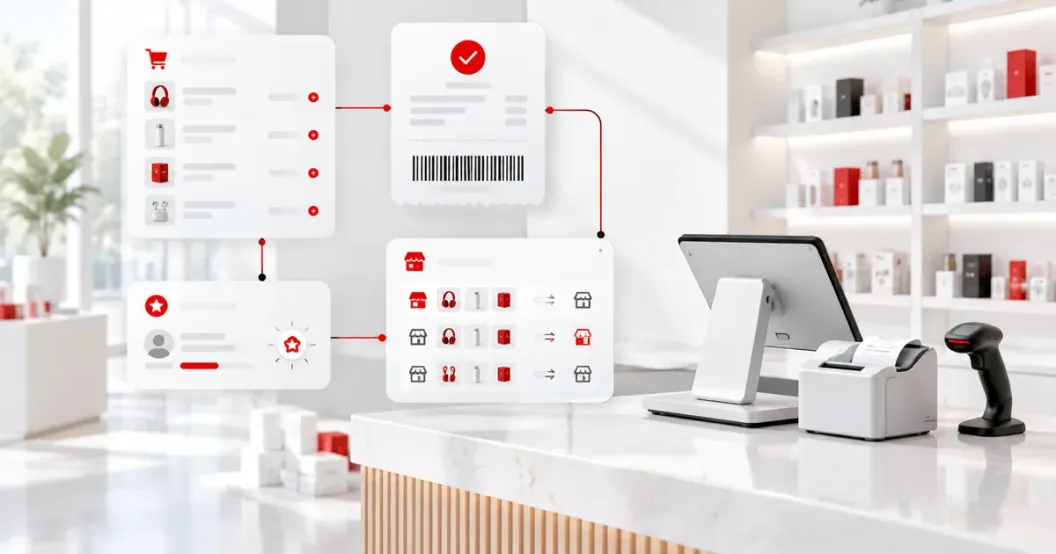
A POS (point of sale) system is what a store uses at checkout: it takes payment, issues invoices, deducts stock and records member purchases. It is the source of store data, so whether month-end reports match depends largely on what the POS records.
A POS usually covers these areas:
| Function | What it does | Common problems |
|---|---|---|
| Checkout and payment | Barcode scanning, pricing, discounts, cash, cards and e-payments | Packaged software cannot express complex promotion rules |
| Invoices | Issuing e-invoices, voids and allowances, uploading to the Ministry of Finance platform | Return and exchange allowances go wrong easily |
| Stock | Deducting stock at checkout, receiving, stocktakes, transfers between stores | Store and web shop count separately, leading to overselling or stockouts |
| Membership | Identifying members, earning and redeeming points, redeeming coupons | Store points are out of sync with the website and LINE membership |
| Reports and reconciliation | Daily close, shift handover, sales analysis, export to ERP | Reports are stitched together by hand from several systems |
For a single store using only the first two, most POS systems are fine. The differences show up in the last three, especially when there is also a website, marketplaces and a member app.
How do you choose between packaged, cloud and custom POS?
For a single store with common checkout workflows, packaged or cloud POS is easiest. If it is good enough but lacks integration, keep it and add integration. Custom POS is worth it when several stores share data with the website, membership and ERP, or the workflow is unusual.
| Approach | Best for | How it is priced | Watch out for |
|---|---|---|---|
| Packaged POS (one-time license) | One or a few stores with common workflows | Software license plus hardware, with a maintenance fee | Changes depend on the vendor; check data export and integration first |
| Cloud POS (monthly subscription) | Opening quickly, with tablets or phones at the counter | Monthly fee per store or terminal | Test what works offline and whether data can be fully exported |
| Packaged or cloud POS plus custom integration | The POS is good enough but needs to sync with the website, membership or ERP | About NT$50,000 to 200,000 per integration point | Depends on the POS API; subscription fees continue |
| Custom POS | Several stores and channels sharing data, or special needs in checkout, tax or language | Quoted by features, store count and integrations | Defining requirements takes the most time; pilot in one or two stores first |
Compare over the same period, for example three years, adding up license or subscription fees, hardware, integration and maintenance. The more stores and years, the more subscriptions add up. Custom POS costs more up front, but the features and data stay in your hands.
Which six things should you confirm before choosing a POS?
Before choosing, confirm six things: e-invoicing, offline checkout, hardware and peripherals, loyalty points, multi-store stock and integration with existing systems. They decide whether packaged POS is enough and are the parts most often underestimated in custom projects.
- How e-invoices are issued and uploaded. Under Taiwan's Directions for Implementing Electronic Invoices, issued invoices must be uploaded to the Ministry of Finance e-invoice platform within the deadline. Confirm whether the POS uploads them itself or through a value-added service provider, and how voids, allowances and mobile barcode carriers are handled.
- Whether checkout works offline. If the store cannot take payments when the network drops, it loses sales on the spot. Ask where transactions are stored offline, how they are uploaded afterwards and whether anything can be booked twice.
- Hardware and peripherals. Cash registers, tablets or Android commercial terminals, plus invoice printers, barcode scanners, cash drawers and card terminals. The software must support the peripherals you have or plan to buy, or you will have to replace the whole set.
- Where loyalty points live. If points are used only in store, the POS's built-in feature is enough. If points must work across the website, LINE and stores, decide which system is the source of truth.
- How multi-store stock is counted. Whether stores can check each other's stock and raise transfers, and whether online orders can be picked up at a chosen store.
- How it connects to existing systems. When accounting or stock is in an ERP and orders are on a marketplace, decide how POS transactions are exported and whether the other system has an API.
For the four common ways to do point 6 (API, staging database, direct database access and CSV), see 4 ways to connect Digiwin ERP with e-commerce and POS.
How do you pick POS hardware?
Pick hardware by store type: all-in-one registers for high-volume retail, tablets for small shops or mobile checkout, and Android commercial POS terminals where printing, scanning and cash must work in one device. Decide on hardware first, so you can confirm which peripherals the software supports.
| Hardware type | Best for | Check |
|---|---|---|
| All-in-one register (Windows or Android) | High-volume retail and restaurants | Operating system version, peripheral ports, warranty period |
| Tablet (iPad or Android) | Small shops, markets, table-side ordering | How printers and cash drawers connect, tablet durability |
| Android commercial POS terminal | Stores that need built-in printing, scanning and cash handling | Whether the manufacturer's SDK is open, peripheral driver support |
Card terminals are usually provided by the acquiring bank. If the POS only receives the payment result and never handles full card numbers, things stay simple. If the POS processes card numbers directly, it must comply with PCI DSS (Payment Card Industry Data Security Standard), which adds cost and responsibility.
How should a POS connect to the website, membership and ERP?
First decide which system is the source of truth for each kind of data, for example stock in the ERP and points in the membership system, with the POS reading and writing back at checkout. Without that decision, every new integration adds more mismatches.
A common division of work:
- POS → ERP: sales and invoice data are sent at daily close or in real time, and the ERP handles accounting and purchasing.
- POS ↔ web shop: they share available stock, online orders can be picked up at a chosen store, and the store POS receives pickup orders.
- POS ↔ membership system: member details and coupons are read at checkout, and purchases and points are written back.
Offline uploads belong in the integration design too: transactions are stored on the device and uploaded in order once the connection returns. Each transaction has a unique ID, and the receiving system skips IDs it has already seen, so stock is not deducted twice and points are not granted twice. For how store POS, web shop, membership and stock stay in sync, see the channel sync example on New retail POS and membership integration.
How much does a custom POS cost?
Based on JoinX's published 2026 rates for custom projects in Taiwan, requirements analysis costs about NT$100,000 to 300,000, small tools start at NT$150,000, and each external integration costs about NT$50,000 to 200,000. A full custom POS is quoted by features, store count and integrations.
| Scope | Price range | Typical content |
|---|---|---|
| Requirements analysis | NT$100,000 to 300,000 | Walk through checkout, returns, transfers, membership and outages in a real store, review existing systems and produce a comparable specification |
| Adding one function beside an existing POS | From NT$150,000 | For example a points lookup, store transfer slips or a reconciliation report |
| Integrating one external system | NT$50,000 to 200,000 per integration point | Data sync with one system such as an ERP, accounting software, website, marketplace or LINE |
| Custom POS | Quoted by features, store count and integrations | POS app, cloud back office, invoicing, membership and multi-store stock |
Hardware, card terminals, e-invoice service providers and cloud hosting are extra, and maintenance after launch is a separate contract. For how costs are estimated and how to read a quote, see Custom system development: types and cost.
What POS projects has JoinX delivered?
JoinX's POS work includes building a POS app and cloud platform from scratch, and keeping an existing POS while adding a website, online store and integrations. In both cases, tax, accounting and store workflows were agreed before development started.
- AsiaLife: an online and offline retail system for stores serving migrant workers. These stores used to keep paper books. JoinX built an Android POS app on Sunmi POS hardware for receipts, barcode scanning and cash handling, with an interface that switches between Chinese, Indonesian, Vietnamese, Thai and English, and synced online orders, store data and reconciliation reports with the AsiaLife cloud platform. Tax rules and accounting handoffs were discussed with the client item by item before development, and the system has been extended since. See the AsiaLife case study.
- 比漾百貨 (department store): the existing ERP, POS and Digiwin accounting system were kept, a new website and online store were built, and the data the online store and physical stores need was connected to bring online and offline together. We have continued to maintain it since launch.
The two cases show two paths: when stores have no proper system, start from the POS; when the POS is already stable, keep it and add only the missing part.
Frequently asked questions
Does a small shop need a custom POS?
Usually not. For a single store with a limited range that sells only in store, packaged or cloud POS is enough and faster to launch. When you open a second or third store, or start running a website and membership program, and mismatched data becomes costly, then consider adding integration or going custom.
Can a store still take payments when the network is down?
It depends on the POS design. Some cloud POS systems only partly work offline. To keep checkout running, transactions must be stored on the device and uploaded in order once the connection returns, each with a unique ID so nothing is booked twice. What invoices and points can do offline is decided in the specification, based on the hardware and invoicing rules.
Does a POS in Taiwan have to issue e-invoices?
In most cases, store sales in Taiwan require a uniform invoice, and these are now mainly e-invoices. Check that the POS can issue e-invoices, handle voids and allowances, support mobile barcode carriers, and upload invoices to the Ministry of Finance platform within the deadline under the Directions for Implementing Electronic Invoices, either directly or through a value-added service provider.
Can we keep our existing POS and only add a website and membership?
Yes, as long as the existing POS can exchange transaction data, for example through an API, database views or scheduled export files. Confirm the available interfaces and licensing with the POS vendor first, then design the data flow between the website, membership and POS.
How long does a custom POS take?
It depends on store count, features and integrations. Start with requirements analysis, then pilot in one or two stores until checkout, returns, transfers and offline handling run smoothly, and roll out to other stores step by step rather than switching all at once.
Sources
- Directions for Implementing Electronic Invoices (電子發票實施作業要點)Ministry of Finance, Taiwan
- PCI DSS v4.0.1 (Payment Card Industry Data Security Standard)PCI Security Standards Council
- Personal Data Protection ActMinistry of Justice, Taiwan (Laws & Regulations Database)
These are the regulations and sources cited at the time of writing. Rules may be revised; always check the latest official announcement.
About the author
Jack Lee
Founder & CEO, JoinX
Jack founded JoinX in 2016 and leads a team of 80+ people across Taiwan and Japan. JoinX has delivered 520+ projects for 220+ clients, including 56 mid-to-large systems.
More about Jack