Technology Insights
Revamping Existing Systems with AI Coding Tools Like Claude Code: Mapping, Tests, Step-by-Step Replacement and Review
AI coding tools such as Claude Code can be used to revamp and refactor existing systems, but only in the right order: first let AI help map the code and data flows, then pin down current behavior with tests, then replace one module at a time, with every change reviewed by a person before it is merged. Written from a development team's perspective, this article explains how each of these four steps works, what cannot be handed to AI, and how JoinX actually handles putting source code into AI tools, including the limits.
Key takeaways
- When AI coding tools are used to revamp an existing system, the order is mapping, a test safety net, step-by-step replacement and human review; you cannot simply ask AI to rewrite it.
- AI is best at helping read old code, map data flows and add tests, but people and users must decide which odd branches are business rules and which are bugs.
- Pin down current behavior with tests before changing code, and never merge a change that fails them; this is what keeps a revamp from breaking things.
- JoinX's development process is SDD + TDD: write the behavior to change as a spec, verify it with tests, and put AI-generated code through the same review as code written by people.
- JoinX puts source code into enterprise-grade AI tools that, under contract, do not train models on the data; passwords, keys and personal data never go into AI tools; and if a client requires no AI at all, we cannot do that and say so before we start.
Contents
An existing system can be revamped with AI coding tools like Claude Code, but in order: map it first, build a test safety net, replace it step by step, and have a person review every change before it is merged. Skip the first two steps and ask AI to rewrite the old system in one go, and the usual result is cleaner-looking code that has lost exception rules the old system accumulated over years. Below, from a development team's perspective, is what AI can do at each step, what people remain responsible for, and how JoinX actually uses AI tools.
Are AI coding tools suitable for revamping an existing system?
Yes, but their value lies in making a revamp more complete and less likely to miss things, not in letting people read less code. The risk in an existing system is the rules you cannot see; AI helps surface them and turn them into tests, while people still make the final call.
Claude Code is an AI coding tool that runs in the terminal. It can read an entire project, search the code, run commands and tests, and edit files as instructed. Unlike tools that only complete a line inside an editor, it can follow relationships across files, which makes it particularly useful for mapping a system before a revamp and refactoring it during one.
But existing systems are not like new projects. A new project's spec lives in its requirements documents; much of an existing system's spec lives only in the code, the data and the memories of senior staff. In Working Effectively with Legacy Code, Michael Feathers defines legacy code simply as code without tests, because without tests you cannot tell whether a change broke something. The faster an AI tool can change code, the bigger that risk, so the order matters more than the tool.
Before a revamp, how can AI help map an existing system?
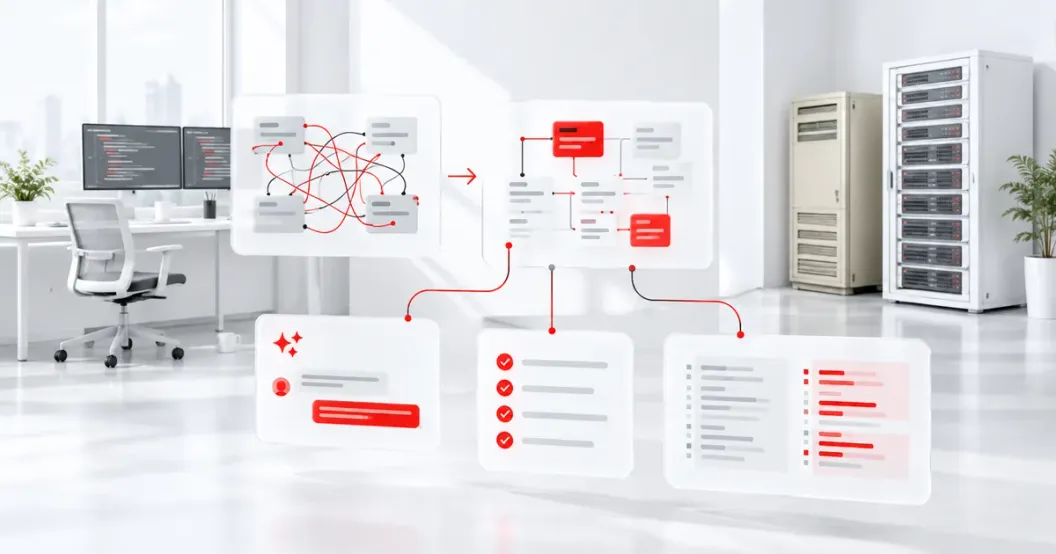
AI can read the whole codebase quickly and lay out modules, data flows, external integrations and high-risk areas, so the team knows what the system looks like before touching it. The output must be checked by engineers and users; it is not a spec by itself.
When mapping, we ask AI to help compile the following, then engineers verify each item:
- Modules and dependencies: which modules call each other, which share the same tables, and what a change in one place affects.
- Data flows: which code and tables an order or document passes through from creation to closing.
- External integrations: where and in what format data is exchanged with the ERP, payments, the account system or other services.
- High-risk areas: code with no tests, unusually long logic, frequent recent bugs, or hard-coded date and amount rules.
- Suspected business rules: odd-looking conditional branches, listed so users can confirm whether each is a rule or a bug.
The last item matters most. AI can tell that a branch looks strange, but not whether it reflects a special contract with a major client ten years ago or a bug from back then. This list goes to the people who actually use the system, and their answers go into the spec. For a complete takeover checklist, see the complete guide to taking over, refactoring or rewriting a legacy system.
Why build a test safety net before changing code?
Because tests are the only way to prove that behavior did not change after a modification. Once tests pin down current behavior, no change from a person or from AI is merged unless the tests pass, and that is how the risk of a revamp stays under control.
Old systems often have no tests at all. What you add first is not the ideal unit test but a characterization test: record what the system actually outputs today and treat it as the baseline. Even if today's behavior is wrong, record it as is, and fix it separately once it is confirmed as a bug, so refactoring and bug fixing never get mixed into the same change.
AI is well suited to helping write these tests: after reading a piece of calculation logic, it can list edge cases and generate test data and test cases. But engineers decide what to test based on business risk. Processes where errors are costly, such as accounting, permissions and inventory, come first; things like layout, where problems are easy to see, can wait. Test data is always fake or de-identified, never real customer personal data.
How do you replace old modules step by step with SDD + TDD?
Replace one module at a time; for each, write the spec first, then the tests, and only then change the code, running old and new in parallel until they agree before switching over. This step-by-step replacement keeps the system usable throughout the revamp, and any problem affects only a small part of it.
JoinX's development process is SDD + TDD: SDD (spec-driven development) writes the behavior to change as a spec first, and TDD (test-driven development) uses tests to verify that the code meets the spec. Applied to an existing-system revamp, each module goes through these steps:
- Choose the first module. Pick one with clear boundaries, where tests are feasible and the impact of an error is contained; do not start with the core accounting.
- Write the spec. Turn the mapping results and the rules users confirmed into a spec, including exceptions and old behavior that must be kept.
- Add tests. Write tests from the spec and confirm they all pass against the old code, proving they describe today's behavior.
- Replace the implementation. Engineers break down the tasks, AI helps generate the new code, and the same tests run until they all pass.
- Run old and new in parallel. Where needed, have both modules process the same data, and switch traffic over only after the results match.
- Merge after human review. Merge and release only when review passes, all tests pass and the deployment has a rollback plan.
In Refactoring, Martin Fowler stresses that refactoring is a series of small steps that do not change external behavior, each protected by tests. AI makes each step faster, but the steps must not get bigger because of it; the smaller each change, the clearer the review.
How should AI-generated code be reviewed?
Through the same review as code written by people, with no lower bar because AI wrote it. The review focuses on whether rules were kept, whether permissions and data access changed, and whether dependencies are sound, all signed off by the responsible engineer.
| Review item | What AI can help with | What people decide |
|---|---|---|
| Rules kept | Compare branches in old and new code and list conditions that may be missing | Confirm whether each difference is intentional or an omission |
| Test coverage | Point out code paths no test covers and add edge cases | Decide which risks must be tested and which are acceptable |
| Permissions and data access | Find new or changed queries, fields and permission checks | Confirm there is no unauthorized access and personal data access is compliant |
| Dependencies | List new packages and versions, and known vulnerabilities | Decide whether to adopt them and check license terms |
| Performance and compatibility | Spot possible heavy queries or loops | Verify with real data volumes and confirm old data still works |
| Deployment and rollback | Compile the change list and configuration differences | Approve the release window and rollback plan |
NIST's Secure Software Development Framework (SP 800-218) lists code review, vulnerability checks and third-party component management as basic requirements, regardless of who produced the code. Before delivery, JoinX runs its own source code scans and vulnerability scans; when black-box testing is needed, a third party performs it, JoinX can help arrange and recommend vendors, and we fix the findings before delivery.
When source code goes into AI tools, how is data security handled?
JoinX puts source code into AI tools, using enterprise or business plans whose contracts or terms of service mean client data is not used to train models; sensitive content such as passwords, keys and personal data does not go into AI tools. We explain all of this to clients before we start working together.
In practice, this comes down to four points:
- Source code does go into AI tools. Mapping, adding tests and refactoring all require AI to read the code; this is how we work, and we do not hide it.
- Enterprise plans, no model training. We use enterprise or business plans of AI tools, and under their contracts or terms of service, client data is not used to train models.
- Sensitive data stays out of AI tools. Passwords, API keys, certificates, production connection settings and personal data never go into AI tools; tests use fake or de-identified data. Personal data is handled in accordance with Taiwan's Personal Data Protection Act.
- We cannot work with no AI at all. Our development process is built on AI-assisted work, so if a client requires that a project use no AI whatsoever, we cannot do that, and we say so before quoting and signing rather than agreeing first and improvising later.
If a client has its own AI usage policy, such as certain directories that must not go into external tools or a required service, we can agree on the scope together before starting.
How is this article different from the ones on AI-assisted development and legacy takeover?
This article covers one thing only: how to use AI coding tools safely when revamping an existing system. The overall AI-assisted development process, its cost structure, and how to assess taking over a legacy system each have their own article.
| Question | Suggested reading |
|---|---|
| The overall AI-assisted development process and division of work | Why AI-assisted development saves 30%: JoinX's actual process |
| How AI-assisted development balances cost and quality | What is AI-assisted development? Controlling cost while raising quality |
| Whether to take over, refactor or rewrite an unmaintained system | The complete guide to taking over, refactoring or rewriting a legacy system |
| How to use AI tools safely when revamping an existing system | This article |
Frequently Asked Questions
Our system is old and its technology is outdated. Can AI tools understand it?
Mostly, yes. Mainstream AI coding tools can read common older technologies such as ASP.NET, PHP and Java, and can help make sense of undocumented code. But understanding the code is not the same as knowing where the rules came from, so questions raised during mapping still need to be confirmed with users.
Can we require that the whole project use no AI at all?
JoinX cannot do that. Our development process is built on AI-assisted work, and we cannot strip AI out and deliver through a separate process. If your company's policy requires no AI at all, we will say so before we start rather than agreeing first.
If source code goes into AI tools, will it be used to train models?
JoinX uses enterprise or business plans of AI tools, and under their contracts or terms of service, client data is not used to train models. Sensitive content such as passwords, keys and personal data never goes into AI tools.
The system has no tests at all. Where should the revamp start?
Start by adding characterization tests: record the current behavior of the most important processes, such as accounting calculations or permission checks, as tests, then start changing code. Adding tests is itself part of the revamp, and AI can help speed this step up.
How are cost and timeline estimated for a revamp using AI tools?
Map the system first, then estimate module by module. Based on projects JoinX has taken on, an initial code and system health check runs about NT$50,000–200,000, and refactoring a single module about NT$500,000–2 million. AI tools make mapping and test coverage more thorough, but they do not let you skip these steps.
Sources
- Working Effectively with Legacy CodeMichael Feathers, Prentice Hall
- Refactoring: Improving the Design of Existing CodeMartin Fowler, Addison-Wesley
- NIST SP 800-218 Secure Software Development Framework (SSDF)National Institute of Standards and Technology (NIST)
- Personal Data Protection ActMinistry of Justice, Taiwan
- Claude Code documentationAnthropic
These are the regulations and sources cited at the time of writing. Rules may be revised; always check the latest official announcement.
About the author
Jack Lee
Founder & CEO, JoinX
Jack founded JoinX in 2016 and leads a team of 80+ people across Taiwan and Japan. JoinX has delivered 520+ projects for 220+ clients, including 56 mid-to-large systems.
More about Jack